
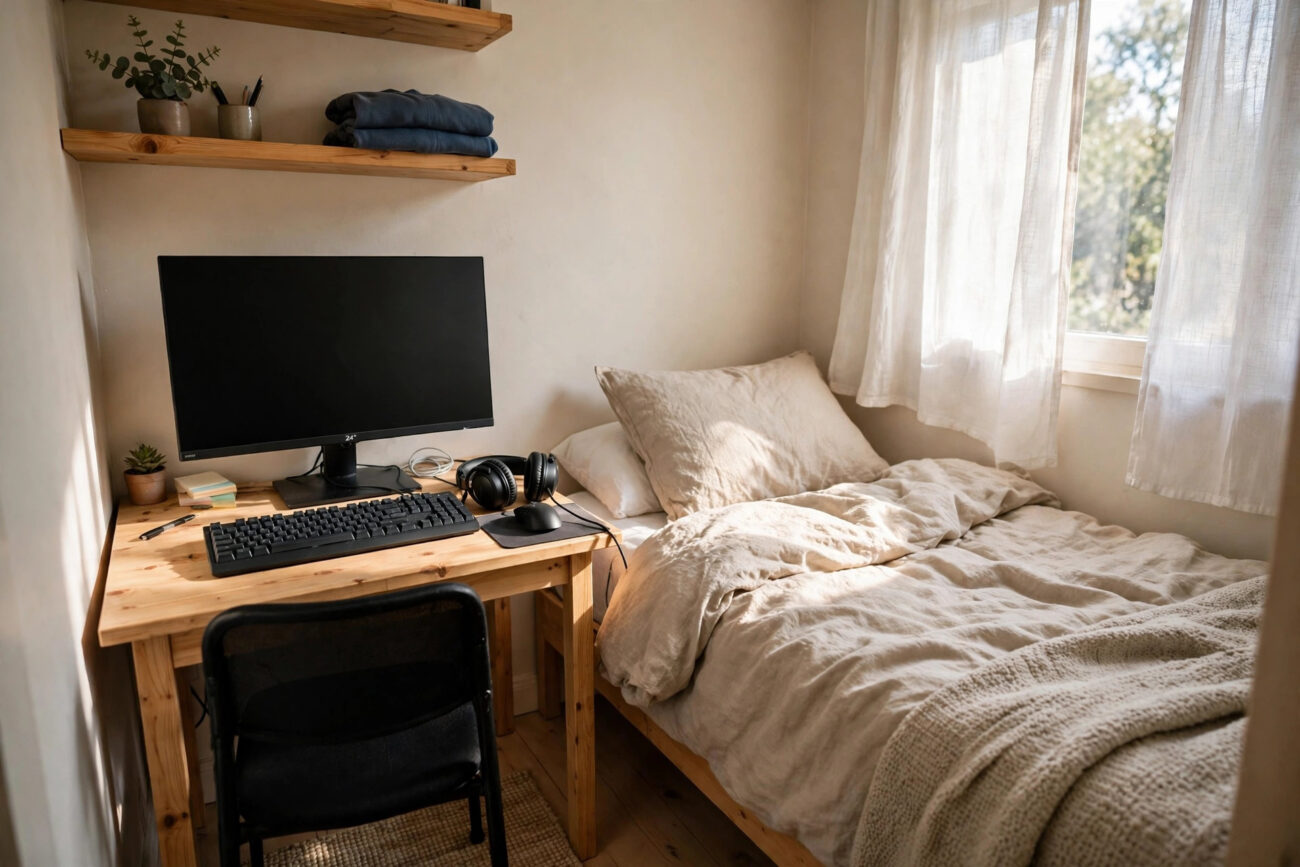
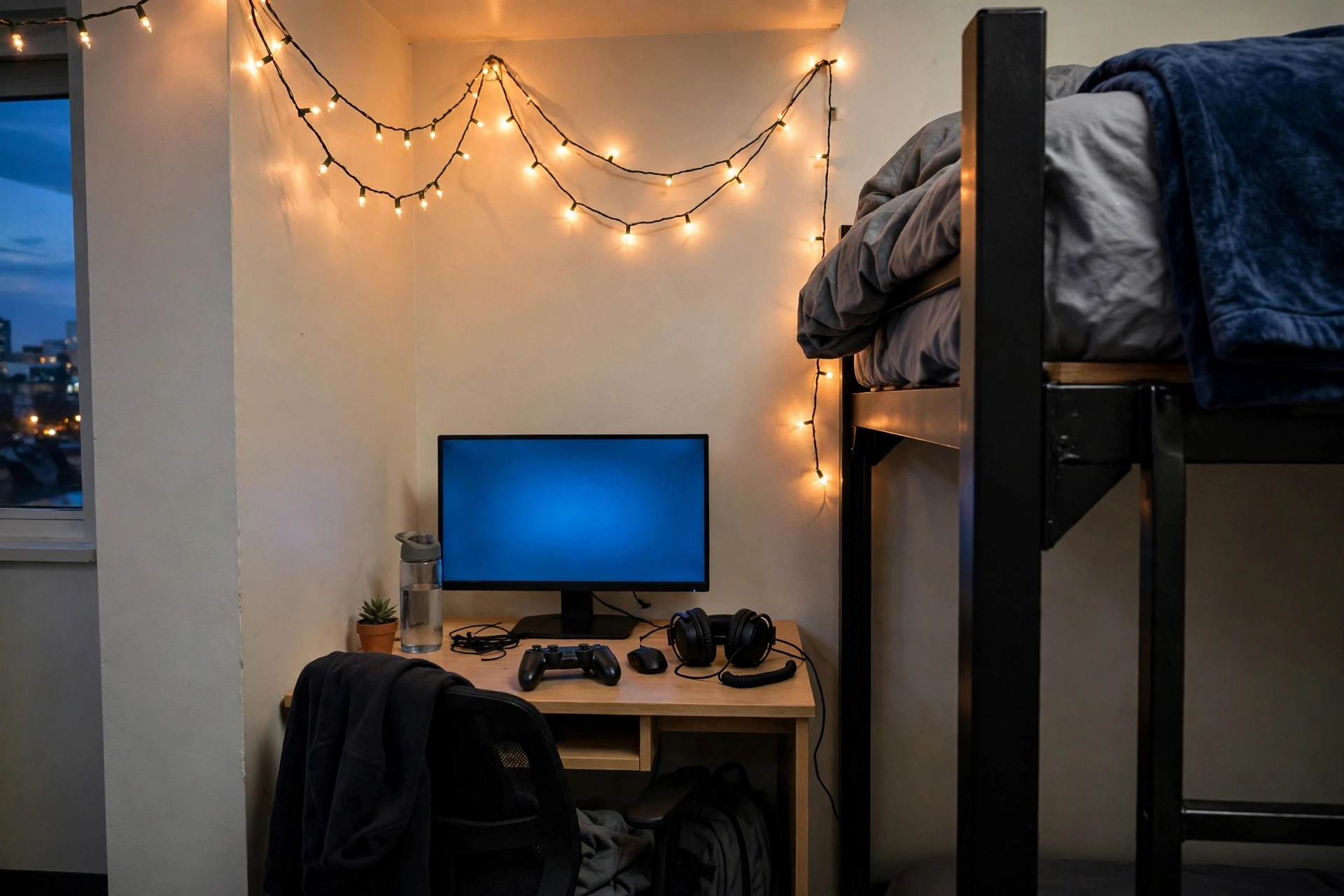
The problem with a small gaming setup is never the games. It is the corner itself. A desk wedged between a bed and a wardrobe leaves no room to sit properly, so your shoulders creep up and your screen ends up at whatever height the furniture allowed. A dorm room adds rules on top of the squeeze: limited outlets, shared walls that carry every late-night callout to the person trying to sleep three feet away, and housing policies that restrict extension cords, candles, and extra appliances for good reason. Then the small stuff compounds — cables spilling onto the floor, a PC heating a room that was already warm, light that looks fine to your eyes and terrible on camera, and a setup that keeps you wired long after you meant to sleep. The fix is not a bigger room or a bigger budget. The fix is treating the corner as a system with a handful of checks: measure the footprint honestly, set the desk and screen to your body rather than the furniture, power everything within the safety rules your building already has, choose light that serves play and sleep, keep sound inside the corner, and give heat and cables somewhere to go. This guide works through those checks in the order you would actually do them, so a corner you can barely turn around in can still be a setup you can use for hours without paying for it in aches, complaints, or tripped breakers.
Key Takeaways
- Measure the corner before buying anything: the desk, your chair’s pull-back space, and your legroom all have to fit at once, not just the desk alone.
- Set screen height and distance from your seated position — in a small space, a laptop on a stand with a separate keyboard often beats a squeezed-in desktop arrangement.
- Power is the safety section, not the shopping section: one properly used strip with overload protection, no daisy-chaining, and extension cords treated as temporary only.
- One consistent LED light temperature does three jobs at once — it looks right on camera, is easier on your eyes, and adds almost no heat to a small room.
- Thin walls are a design constraint: a headset, a close microphone, and soft surfaces near the desk solve most noise problems before they become roommate problems.
- A corner you game in and sleep next to needs an off switch ritual — dimming light and putting devices away before bed protects the sleep the room is actually for.
Table of Contents
- Start With the Corner You Actually Have
- Desk, Chair, and Screen Height in a Tight Footprint
- Power Without the Fire Risk
- Light for Play, Camera, and Sleep
- Sound When the Walls Are Thin
- Eyes and Breaks in a Small Space
- Cables, Heat, and Airflow
- Turning the Corner Off at Night
- Our View
- FAQ
- Sources
- Recommended
Start With the Corner You Actually Have
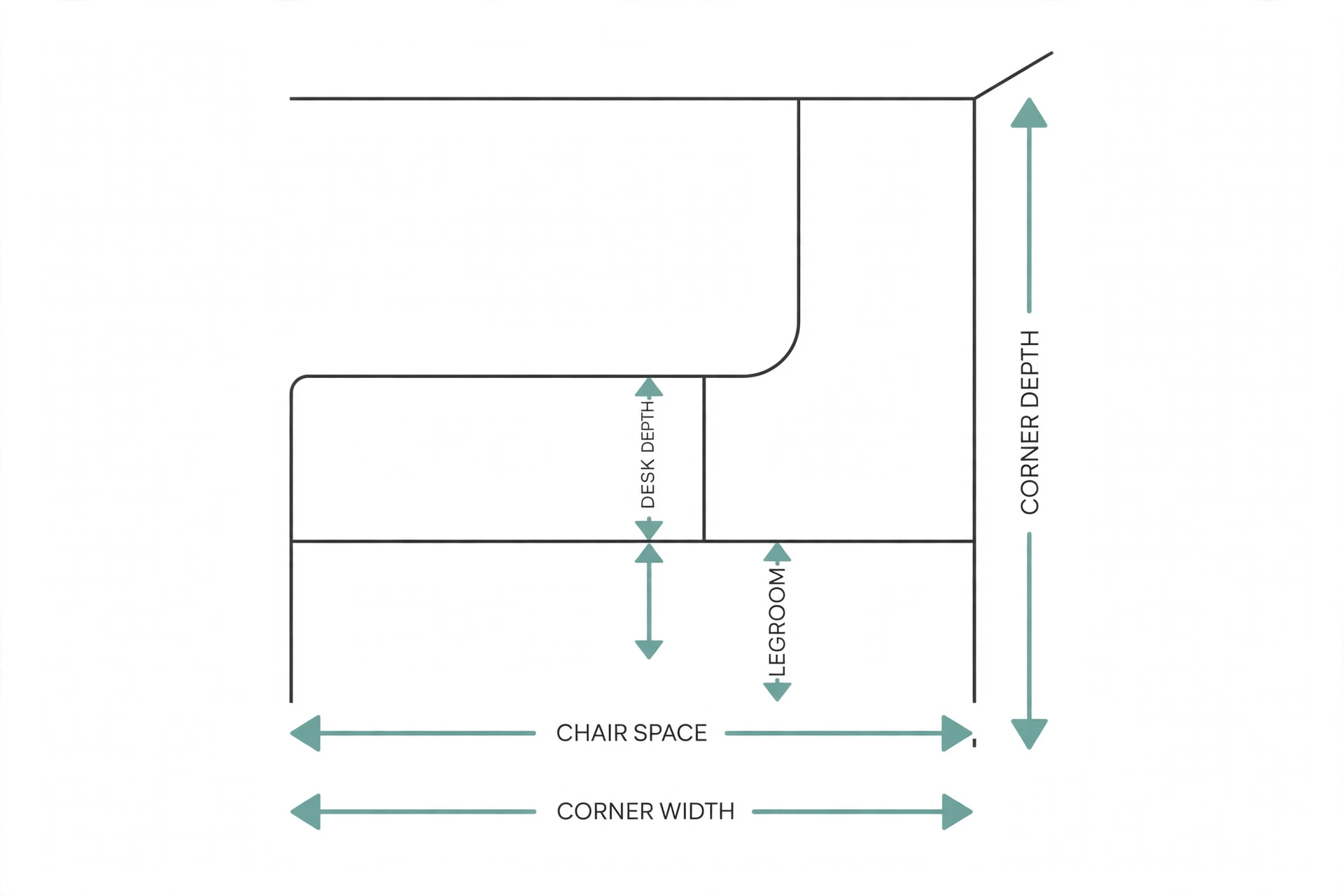
Every small setup that works started with a tape measure, and every one that failed started with a guess. The guess usually sounds reasonable — the desk is small, the corner looks empty, it will fit — and it fails on the second dimension nobody measured: the chair. A desk needs its own footprint, but you need one too. Your chair has to pull back far enough for you to sit down and stand up without climbing, your knees need clear space under the desk, and you need at least a small walkway that does not require stepping over cables or the PC tower. Measure the corner’s width and depth, then measure the full working zone: desk depth plus chair depth plus the space behind the chair. If the working zone does not fit, the answer is a shallower desk or a different corner, not a smaller version of you.
Corners also come with fixed features that decide the layout before you do. Note where the outlets are, because the desk wants to live near them rather than at the end of a long cord run. Note the window, because a screen facing it will fight glare all afternoon and a screen with its back to it will silhouette you on camera. Note the door swing, the radiator or vent, and — in a dorm — what your housing agreement says about wall fixings and electrical items, because a setup you have to dismantle at inspection was never really installed. In a shared room, the best corner is the one farthest from your roommate’s pillow, and that choice does more for peace than any accessory.
| Layout choice | Works best when | Watch out for |
|---|---|---|
| Desk against the wall, facing it | Space is tightest; cables stay behind the desk | No depth for a large monitor; face close to the wall |
| Desk along the side wall | A window can sit to one side, reducing glare | Door swing and walkway can cut into chair space |
| Corner desk using both walls | You want a second surface for notes or a console | Corner units are often deeper than they look — measure the diagonal |
| Laptop on a stand, no fixed desk | Dorm rules or a room that must stay flexible | Needs a separate keyboard and a chair that supports real posture |
Desk, Chair, and Screen Height in a Tight Footprint
In a small corner, ergonomics is not a luxury topic — it is the difference between a setup that fits your body and one your body has to fit. The core principle from OSHA’s computer workstation eTool is that there is no single correct arrangement that suits everyone; the workstation should be adjusted to the person using it. In a big office that means an adjustable desk and chair. In a dorm corner it means being honest about the few adjustments you do have — chair height, screen height, and where your feet land — and using ordinary objects to make them: a cushion to raise your seat, a sturdy stack of books or a stand to raise a screen, a small box as a footrest when your feet do not reach the floor.
The specifics are worth copying from people who publish them carefully. The Mayo Clinic’s ergonomics guide puts the monitor about an arm’s length away, with the top of the screen at or slightly below eye level, your feet resting flat on the floor, and enough clear room under the desk for your legs — including the pointed warning not to store things under the desk, because stored clutter shrinks the space your posture needs. That last point lands hard in a small room, where under the desk is prime storage. Resist it. The boxes can live on a shelf or under the bed; your knees have nowhere else to go. The same guide’s laptop advice is the small-space move in disguise: a laptop used at a desk works better raised on a stand with an external keyboard and mouse, which lets a tiny desk hold a proper screen height instead of forcing you to hunch over a low, cramped keyboard for hours.
Chair choice follows the same logic. A compact chair without wide armrests often serves better than a large gaming chair whose base and recline need room you do not have — measure its footprint and recline against the wall or bed behind it before assuming it fits. What matters is that it supports your back, lets your feet land flat, and keeps your shoulders relaxed with your hands near elbow height. Test the arrangement the way you will use it: sit down, play for twenty minutes, and notice what you start compensating for. The compensation is the next fix, and in a small setup it is almost always screen height or foot support — cheap to correct, expensive to ignore.
Power Without the Fire Risk
A small setup concentrates plugs the way it concentrates everything else, and this is the section where the dorm rules stop being bureaucracy and start being the actual guidance. A PC or console, a monitor, a lamp, a headset charger, and a phone charger can all end up wanting the same single wall outlet, and the tempting answers — stack another strip on the first strip, run an extension cord under the rug, plug everything in and hope — are precisely the patterns fire-safety guidance warns about. The U.S. Fire Administration’s page on fire safety for college students names overloaded power strips among the specific causes of fires in college housing, and its electrical advice is plain: do not overload outlets, and use only surge protectors or power strips that have internal overload protection. One good strip, plugged directly into the wall, sized for what you actually run, is the whole strategy.
The cord rules are just as consistent across sources. The Electrical Safety Foundation International’s back-to-school electrical safety tips stress that extension cords should only be used temporarily, that cords should be inspected regularly for damage, and that cords should never run under rugs, carpets, doors, or windows — both because covered cords trap heat and because hidden cords get crushed and worn where nobody can see it happening. The U.S. Consumer Product Safety Commission’s guide to home wiring hazards makes the same distinction from the inspection side, flagging extension cords used as permanent wiring as a hazard sign, alongside loose plugs, damaged insulation, and parts of the system that run warm or hot to the touch. Translated to a gaming corner: if a cord has been doing a permanent job for a semester, the setup needs rearranging so the strip reaches the wall outlet on its own cord — or the desk needs to move closer to the outlet. And anything high-draw and heat-producing, like a space heater, never belongs on a strip or extension cord at all; in many dorms it does not belong in the room, full stop.
Build the habit of a monthly two-minute check. Feel the strip and plugs after a long session — warm is information, hot is a stop sign. Look at every cord for nicks, crushed sections, and plugs that sit loosely in their sockets. None of this costs anything, and in a room where you also sleep, it is the highest-value maintenance the setup will ever get.
Light for Play, Camera, and Sleep
One light, chosen well, does three jobs in a small corner: it lights your face for the camera, it lights your desk for your eyes, and it stays cool enough not to heat the room. Start with the bulb type. The U.S. Department of Energy’s LED lighting guide notes that quality LED bulbs use far less energy and last far longer than incandescent bulbs, and that LEDs emit very little heat by comparison — a detail that barely matters in a living room and matters a lot in a dorm corner, where an old hot bulb is a small space heater you never asked for. A single LED desk lamp with an adjustable arm, plus the room’s main light, covers most small setups; a small light aimed at your face from behind the monitor covers the camera job without a ring light eating desk space.
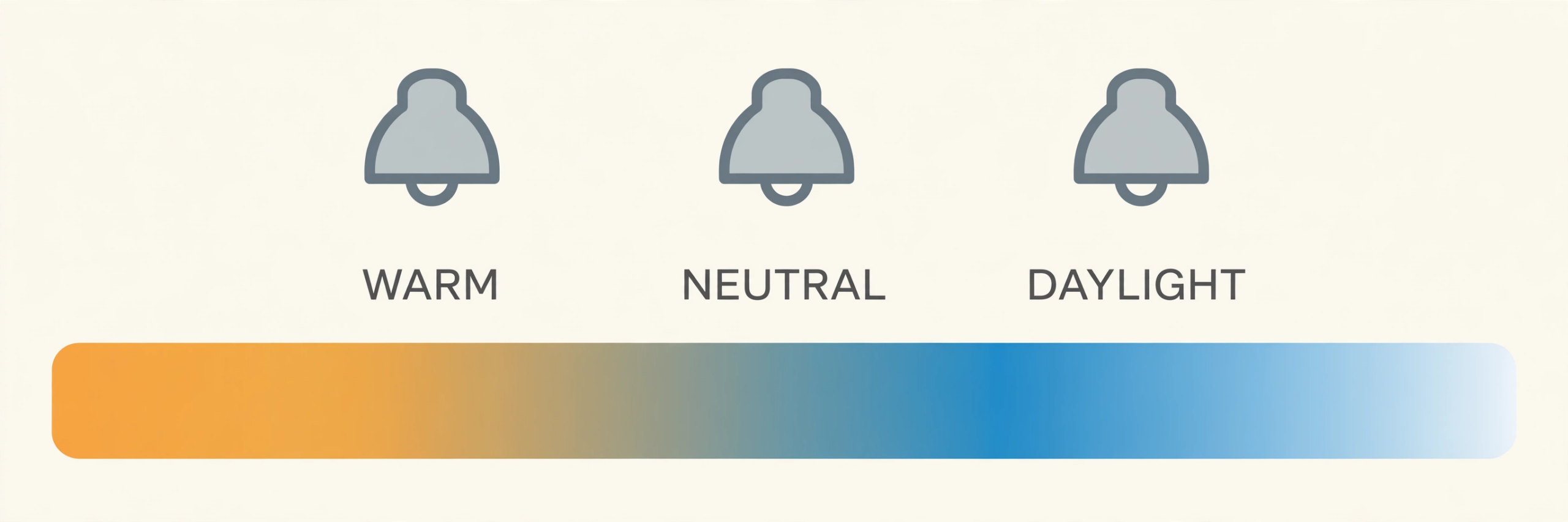
Consistency is the part people miss. Cameras do not adjust to light the way eyes do, and the photography tutorial site Cambridge in Colour explains white balance as the process of removing unrealistic color casts so that things that are white in person render white on camera — a process that struggles most when a room mixes light sources of different color temperatures, such as a warm desk lamp under a cool ceiling light. The practical fix is simple: pick one color temperature for the lights in your corner, use bulbs that match it, and set your camera’s white balance to that temperature instead of leaving it on auto. Your skin, your clothes, and the wall behind you will stop changing color every time you move. A neutral-to-warm temperature tends to flatter faces on camera and feels less clinical in a bedroom at night, but the right answer is the one that matches across every bulb you own.
Placement finishes the job. Light in front of your face, slightly above eye level and angled down, reads clearly on camera and keeps shadows off your desk. Light behind you makes you a silhouette; light directly overhead carves shadows into your face. Keep the screen in the same conversation — a monitor far brighter than the room makes your eyes work across a constant contrast gap, so bring screen brightness roughly in line with the light around it, and close the curtain against afternoon glare rather than cranking brightness to fight the sun. In the evening, the same lamp becomes your wind-down tool: lower, warmer, aimed away from the bed.
Sound When the Walls Are Thin
In a shared room or a dorm, your setup’s sound has two audiences: the people in your game, and the people who did not choose to be. Most noise problems in small setups are not volume problems — they are leakage and vibration problems. Speakers on a desk send sound into the room and bass into the desk itself, which passes it through the wall or floor as a thump your neighbor feels more than hears. A headset solves the room side completely and is the default in any shared space, but it creates the second problem: when you cannot hear your own voice, you talk louder. The fix is feedback — a headset with sidetone, or your platform’s mic-monitoring option, so your own voice reaches your ears at a natural level and your speaking volume settles back down without you thinking about it.
Microphone placement does the rest. A microphone close to your mouth can run at low gain, which means it hears you clearly and the room barely at all; a microphone across the desk has to run hot, and at that sensitivity it broadcasts your keyboard, your chair, and your roommate’s entire evening to your squad. If you use a desk microphone, bring it close on a small arm or stand rather than turning it up from far away. Mechanical keyboards deserve one honest sentence: they are satisfying to type on and genuinely loud through a thin wall at midnight, so in a shared room the quiet-hours answer is a membrane board, o-rings or a desk mat under the keys, or simply saving the loudest board for daytime hours.
Soft surfaces are the cheap acoustics of a small room. A rug under the desk, a desk mat, curtains, and the bedding that is already there all absorb the reflections that make a small hard room echoey on a microphone. None of it soundproofs anything — soundproofing is construction, not shopping — but absorption plus a close mic plus a headset removes most of what actually travels. The final piece is social: agree on quiet hours with your roommate before the first late session, not after the first complaint.
Eyes and Breaks in a Small Space
A small corner puts your screen close, your light mixed, and your bed in your peripheral vision — and your eyes pay for all three unless you set the corner up with them in mind. The reassuring starting point comes from the American Academy of Ophthalmology’s page on computers, digital devices, and eye strain: screens do not permanently damage your eyes, but long sessions without breaks leave them achy, dry, and blurred. The Academy’s practical advice translates directly to a corner setup — sit about an arm’s length from the screen with your gaze angled slightly downward, match your screen brightness to the light around you rather than letting the screen glow far brighter than the room, cut glare where you can, and blink deliberately, because people blink far less often while looking at screens and the dryness follows from that.
The break habit worth building is the one the American Optometric Association recommends on its computer vision syndrome page: the 20-20-20 rule — every 20 minutes, take a 20-second break to look at something about 20 feet away. In a small room, 20 feet away usually means out the window or down the hall, which is fine; the point is distance, giving your focusing muscles a genuinely different job for a few seconds. The same page pairs the rule with the longer rhythm of resting your eyes for a longer stretch after a couple of continuous hours, and with the positioning checks from the ergonomics section — screen a little below eye level, glare controlled, posture supported. Breaks in a small space do double duty, because standing up to look out of the window also uncurls your shoulders, moves your legs, and gives the room’s heat a moment to dissipate.
Make the break automatic rather than aspirational. A repeating timer, a between-match ritual, or a sticky note on the monitor bezel — the Academy itself suggests the sticky-note trick for blinking — all beat willpower at hour three. And if your eyes are regularly red, painful, light-sensitive, or still blurry long after sessions end, that is no longer a setup problem; it is a reason to get an eye exam, because an uncorrected vision problem makes every other strain worse.
Cables, Heat, and Airflow
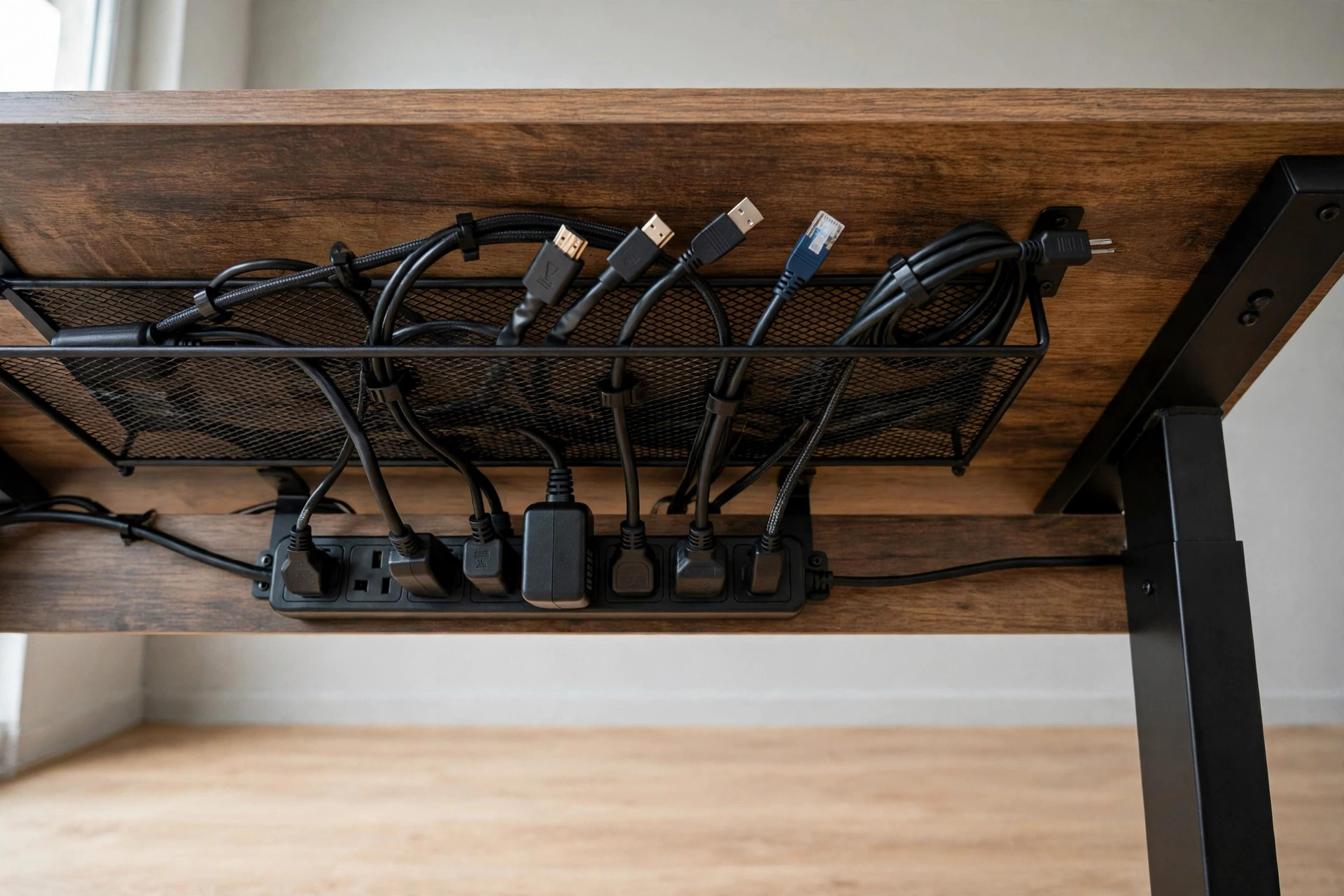
Cable mess in a small corner is not a tidiness issue — it is a tripping, yanking, and overheating issue in a room with almost no floor to spare. Start with count: every device you remove from the desk is a cable that no longer exists, so the first cable-management tool is deciding what actually needs to be wired. What remains gets one route — along the back of the desk or down one leg — held by clips, a cable tray, or simple hook-and-loop ties, off the floor and out of the walkway. Keep the power strip itself accessible and visible rather than buried behind furniture, both so the monthly check from the power section actually happens and so you can switch the whole setup off at one point. Leave service loops: a cable pulled drum-tight from device to strip will eventually pull a plug half out of its socket or drag something off the desk when the chair catches it, and in a corner the chair always catches it eventually.
Heat is the other invisible layout constraint. A PC or console in a small room is a modest heater with a fan, and where you put it decides whether that heat leaves or recirculates. Keep vents clear on every side, never box a tower into a closed cabinet or wedge it against a wall with no air path, and keep it off thick carpet where bottom intakes choke on dust. If the corner warms noticeably during long sessions, the usual cause is a tower exhausting straight into a wall a few inches away; turning it so the exhaust aims into open room fixes most of it without buying anything. Dust is the slow version of the same problem — a small room with bedding nearby generates lint, and a quick vacuum of the intake area keeps fans from working harder and louder month by month.
Turning the Corner Off at Night
The last design problem of a bedroom gaming corner is that the room has a second job, and it starts when the session ends. A screen you game on until the moment you roll into bed, under bright light, in a room that stays wired and glowing, is working against the sleep the bedroom exists for. The CDC’s guide to sleep gives the habits that matter in plain form: go to bed and get up at the same time each day, keep the bedroom quiet, relaxing, and at a cool temperature, avoid caffeine in the afternoon or evening and large meals and alcohol before bed — and turn off electronic devices at least 30 minutes before bedtime. That last habit is the one a gaming corner has to be designed around, because a setup that lives beside the bed makes “devices off” a decision you have to take actively rather than a default the room gives you.
Design the off-ramp into the setup. One switch on the strip ends the whole corner at once — monitor glow, standby lights, charger LEDs — and turns “shutting down” into a single gesture instead of a round of individual negotiations with yourself. Dim or warm the lamp for the last part of the evening so the room’s light steps down before you do, and let the final session have a defined end: a last match, a save point, a playlist’s end, rather than the open-ended scroll that eats the 30 device-free minutes without feeling like it. Charge the phone somewhere that is not the pillow’s neighborhood if you can — the desk is right there — so the corner holds the devices overnight and the bed holds only sleep.
Roommates and shared walls run both directions at night: your wind-down is also their sleep environment, which is one more reason the headset and quiet-hours habits pay off after dark. None of this requires giving up late sessions. It requires the session to end on purpose, in a room that visibly changes state when it does — lights low, screens dark, corner quiet. A setup that can turn fully off is what makes a gaming corner and a bedroom compatible in the same few square feet, instead of slowly trading sleep for one more round.
Our View
A small corner does not need more gear. It needs the few decisions that small spaces punish you for skipping: measure before you buy, set the screen to your body, treat power as a safety system with rules you did not invent, match your light, keep your sound inside the corner, and give the whole thing an off switch that ends the night. Do those things and the tightest bedroom or dorm corner becomes a setup that respects your body, your roommate, and your building — and still disappears the moment you turn it off and go to bed.
— The GamerChicksRule Team
FAQ
How small is too small for a gaming setup?
If the desk fits but the chair cannot pull back and your knees have no clear space, the corner is too small for that desk — not for a setup. A shallower desk, a laptop on a stand, or a different corner usually solves it. Measure the full working zone, chair included, before concluding anything.
Can I use a power strip for everything in a dorm setup?
One strip with internal overload protection, plugged directly into the wall, is the standard approach for the low-draw gear in a gaming corner — PC or console, monitor, lamp, chargers. Never plug one strip into another, never run cords under rugs, and keep heat-producing appliances like space heaters off strips entirely and out of the room if your housing rules say so.
Is a laptop setup actually better than a desktop in a small room?
For space and heat, often yes: a laptop on a stand with a separate keyboard gives you proper screen height on a shallow desk and produces less heat than a tower. A desktop wins on performance and repairability, but it needs vent clearance on every side and floor or desk space a dorm corner may not have.
How do I keep my voice down during late games in a shared room?
Use a headset with sidetone or mic monitoring so you can hear yourself at a natural level, keep the microphone close so it can run at low gain, and agree on quiet hours with your roommate in advance. Most “too loud” complaints are about voice and keyboard, not game audio — and both are fixable without spending anything.
What is the one change that helps most if I can only do one thing?
Fix the screen height and distance first: screen about an arm’s length away, top at or slightly below eye level, feet flat. It is usually free — a stand, a stack of books, a cushion — and it improves posture, eye comfort, and how you look on camera at the same time.
Sources
- OSHA Computer Workstations eTool
- Mayo Clinic office ergonomics guide
- U.S. Fire Administration fire safety for college students
- ESFI back-to-school electrical safety tips
- U.S. Consumer Product Safety Commission guide to home wiring hazards
- U.S. Department of Energy on LED lighting
- Cambridge in Colour on white balance
- American Academy of Ophthalmology on computers, digital devices, and eye strain
- American Optometric Association on computer vision syndrome
- CDC guide to sleep